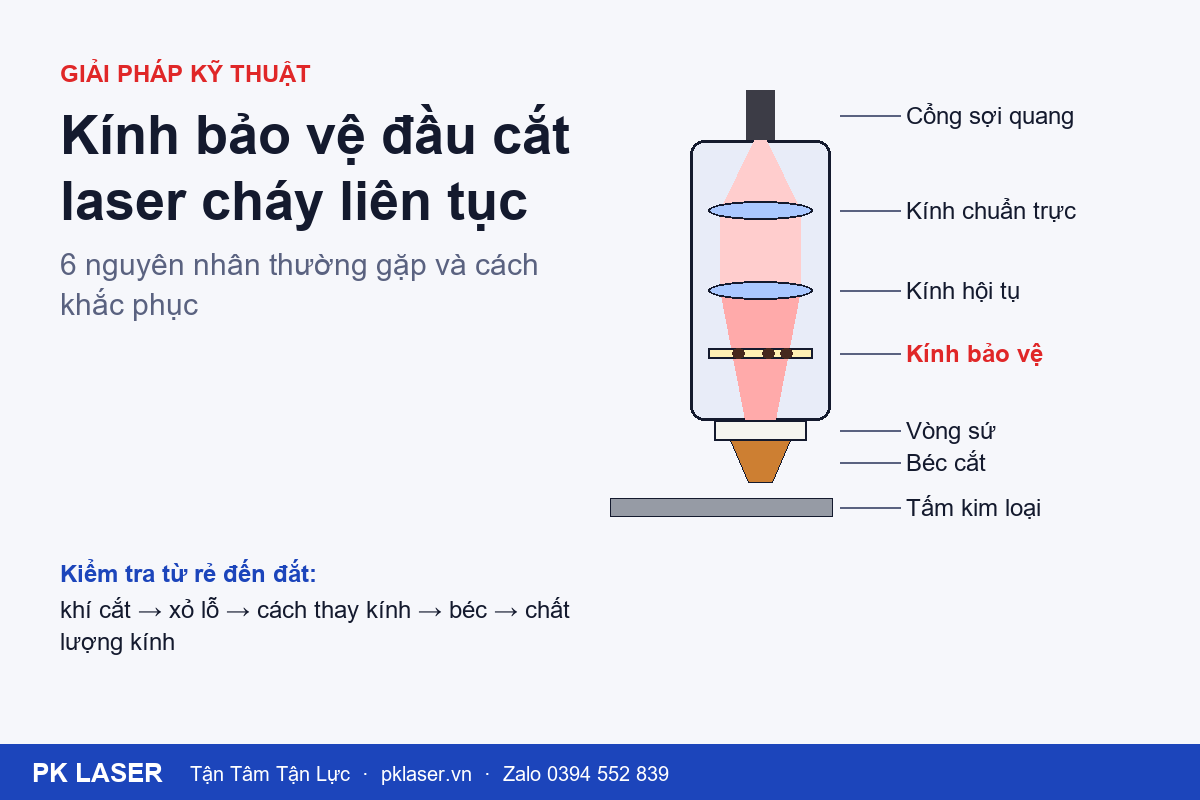
Why a protective window burns repeatedly
A protective window is a consumable, so gradual wear over time is normal. If a new window burns soon after replacement or repeatedly after only a few shifts, an underlying cause may still be unresolved. Replacing the window without addressing that cause can waste more lenses.
The protective window sits at the bottom of the fiber-laser cutting head. It shields the focusing and collimating lenses inside from dust and back-spattered slag.
Signs that the protective window is damaged
- Cutting power appears to drop; a sheet that used to cut through no longer does, or the cutting speed must be reduced.
- The cut has more slag or burrs than usual.
- The removed window has black spots, pits, a peeling coating, or cracks.
- The area around the window holder is hotter than usual.
- A dark spot absorbs laser energy and heats the window, which can make the damage spread faster. Continued operation may also affect the more expensive focusing lens.
Six common causes and what to do
1. Oil or water in the cutting gas
This is a common cause, especially when cutting with compressed air. Oil or water vapor can travel into the cutting head and settle on the window. Laser energy is absorbed at those deposits and can burn spots into the surface.
Check: drain the receiver and filters, and inspect the filter elements and air dryer. Direct the cutting gas onto clean glass or white paper and look for oil or water marks.
2. Slag back-spatter during piercing
When piercing thick material, molten metal can splash back toward the nozzle. If the pierce height is too low, the pierce timing is unsuitable, or gas pressure is insufficient, slag may pass through the nozzle opening and reach the window.
Check the piercing parameters—height, time, power, and gas—against the material and thickness. Inspect the window after running a program with several pierces.
3. Contamination during lens replacement
Sweat, fingerprints, or dust entering the lens compartment during replacement can become a burn point as soon as the laser fires.
Wear gloves or finger cots, handle the window by its edges, work in a low-dust area, and cover the compartment as soon as it is opened. Clean with a suitable lens swab or optical tissue and an appropriate cleaning solution. Do not blow on the lens with your mouth.
4. Poor-quality or incorrectly specified window
A weak coating or a window with the wrong size or thickness for the cutting head may tolerate heat poorly and burn early, especially at high cutting power.
Use the size specified for the cutting-head brand and model (such as Raytools, Precitec, WSX, BOCI, or OSPRI). Choose a traceable source with consistent quality between batches.
5. Damaged or off-center nozzle
A dented nozzle, worn opening, or off-center beam can deflect the gas flow and make slag more likely to splash back. A misaligned beam may also strike the nozzle wall, heating it and increasing spatter.
Inspect the nozzle opening. Replace it if dented or worn, then center it using the tape method.
6. Damaged seal or incorrect installation
A hardened or torn seal, or a seal installed in the wrong orientation, can leave the lens compartment unsealed so dust and contaminated gas enter. Over-tightening can stress the window and cause it to crack when hot.
Replace seals that are hardened or deformed. Install the window in the orientation specified for the cutting head and tighten it only as directed.
A quick inspection order
Start with the checks that are easiest and least costly. Change one factor at a time, then run a test so the cause can be identified.
- Cutting gas quality
- Piercing parameters
- Lens replacement and cleaning method
- Nozzle condition and centering
- Window quality and specification
- Lens-compartment seals
Safety
Turn off laser emission and shut off the gas before opening the lens compartment. Fiber-laser radiation is invisible and can cause permanent eye injury. If the window still burns after these checks, internal optics may need inspection by a qualified technician.
Need PK LASER support?
Send a photo of the damaged window and the cutting-head model. The PK LASER technical team can help identify the cause and the correct lens code. Message Zalo: 0394 552 839. Call technical support: 0394 542 839.