Record the symptom before changing settings
Note the alarm text or code, when it occurred, axis or operation involved, material and thickness, assist gas, and recent changes. Save a screen photo if permitted. Avoid repeated resets that erase useful fault information.
Start with cut-quality symptoms
For rough edges, dross, incomplete cuts or poor corners, confirm the material and approved process chart first. Check sheet support, nozzle condition and seating, approved centering, height sensing and assist-gas supply. Change only a permitted parameter at a time and compare a controlled sample.
Check accuracy and geometry methodically
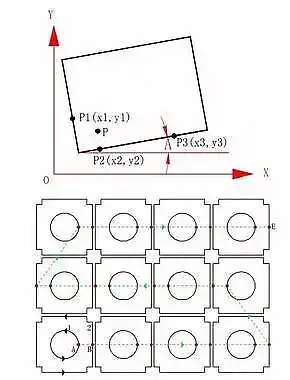
Verify the workpiece is secured and positioned as intended. Inspect accessible areas for loose fixtures or obvious obstruction only after following the machine’s safe-stop procedure. Axis calibration, backlash, gear engagement, couplings and servo settings require the maker’s diagnostic method or a qualified technician.
Stop for abnormal noise, collision or stalled motion
Do not keep commanding an axis that is binding, striking or making unusual noise. Stop the process using the machine’s procedure and keep clear of moving parts. Do not defeat an interlock, force an axis, or adjust drives by trial and error.
Use the exact alarm procedure
Cooling, Z-axis limit, servo, collision and software alarms have different causes. Read the alarm description for the exact controller and machine model, check only user-level items identified in its manual, and record the full code before requesting service.
Tube-cutting accuracy needs its own checks
For a tube machine, record the chuck type, workpiece dimensions, clamping setup and position of the error. Loading, support, chuck alignment and calibration are model-specific; a trained technician should diagnose mechanical or servo issues.
Escalate faults involving optics, wiring or drives
Stop and contact qualified service for suspected optical damage, electrical faults, repeated alarms, unexplained axis error or safety-system problems. Share the alarm code, photos, machine model and steps already taken; do not open energized cabinets or optical assemblies.